
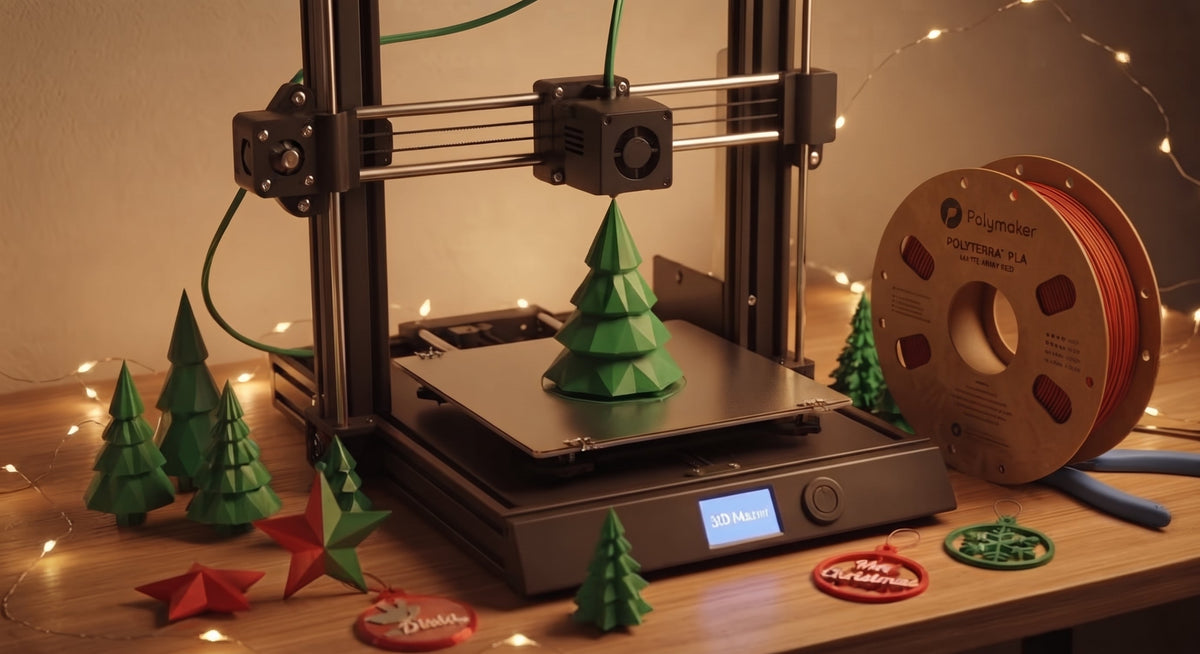
For your first 3D printed Christmas tree, start with a one-piece tabletop model and a spool of PLA filament. Pick a flat-pack design if you want a tree you can take apart after the holidays, or go with stackable tiers for a taller display. If you already have a full-size tree, a lightweight star or a batch of personalized ornaments is a good weekend project.
Here’s how to pick a design, choose a filament, and print everything from a mini tree to the star that goes on top.
3D Printed Christmas Tree Ideas for Desks and Small Spaces
Start by measuring the spot where the tree will sit. A bookshelf usually limits height, while a narrow mantel leaves less room for a wide base. Once you know what fits, use the table to compare how each design prints and goes together.
|
Tree style |
Where it works well |
How it prints |
What to check first |
|
One-piece mini tree |
Desk, windowsill, or bookshelf |
Prints as a single piece with no assembly |
Check whether the lower branches need supports |
|
Flat-pack tree |
Dorm room, small apartment, or seasonal desk display |
Flat panels slot together on a base |
Check slot width before resizing |
|
Stackable tree |
Tabletop display with room for a wider base |
Separate tiers fit onto a trunk or stack together |
Make sure the widest tier fits on the build plate |
|
Light-up tree |
Mantel or holiday centerpiece |
A hollow shell fits over a separate light |
Check the opening and the size of the battery-powered LED |
One-Piece Mini Trees for Desks and Shelves
A ribbed cone or a simple tree silhouette gives you a finished decoration straight off the build plate. For a shelf display, print the same design in two or three heights. Preview each size in the slicer first. Small branch tips and thin ridges can disappear when you shrink a model.

Flat-Pack Christmas Trees That Slot Together
Two interlocking panels and a base make a freestanding tree that packs flat in January. Some models come as kit cards, with all the parts held in a thin frame until you cut them free. If you change the scale, test the slot and its matching tab before printing the full set.
Stackable Trees for a Larger Tabletop Display
A tiered design lets you print the branches separately and assemble a tree taller than any one piece. You can give each tier a different shade of green using a single-extruder printer. Look for a broad base and a trunk that holds the tiers in place when you move the tree.
Light-Up Trees for a Mantel or Centerpiece
For a soft glow, look for a hollow model designed to sit over a battery-powered LED tea light. Measure the light you plan to use, including its widest point. An opening that fits the base but blocks the switch will be a nuisance every time you turn it on.
What Filament Works Best for 3D Printed Christmas Trees and Ornaments?
Standard PLA works well for most indoor trees and ornaments. The finish matters more when the piece will sit under a lamp, catch the sparkle of string lights, or glow from within. Outdoor decorations bring a different set of concerns, especially sun and rain.
Standard PLA for Tabletop Trees and Everyday Ornaments
Use standard PLA for small trees, flat snowflakes, and simple name ornaments. It’s also a practical choice when you’re printing several pieces in the same color. Start with the filament maker’s profile and print one ornament to check the lettering and hanging hole before filling the plate.
Matte PLA for a Low-Gloss Finish With Less Noticeable Layer Lines
A miniature tree on a bright windowsill can show more layer lines than it did under the printer light. Panchroma™ Matte PLA gives the branches a low-gloss finish that makes those lines less noticeable. It works well for muted green tabletop trees or white ornaments you want to hang straight off the build plate.
Silk PLA for Shiny Stars and Baubles
A faceted star is a good match for Panchroma™ Silk PLA. As you walk past the tree, the angled faces catch the light. Put supports on the back or underside where the model allows, since rough contact marks can stand out on a glossy surface.

Translucent Filament for Light-Up Decorations
Panchroma™ Translucent PLA lets light through a thin shell, making it a good fit for a hollow tree that sits over an LED. Try a small sample at your intended wall thickness and hold it over the light. That test will tell you more about the finished glow than the color of the filament on the spool.

PETG or ASA for Outdoor Christmas Decorations
For a wreath tag or ornament on a sheltered porch, Polymaker™ PETG is a practical choice and can print without an enclosure. For decorations that will spend the season in direct sun and weather, consider the UV resistance of Polymaker™ ASA. Print ASA in an enclosure that retains heat, and keep the printing area well ventilated.
How to 3D Print a Christmas Tree
Start with the designer’s recommended settings for the model and a filament profile that matches your printer and nozzle. A Christmas tree 3D print with delicate branch tips needs a different setup from a flat kit with tight-fitting slots. The slicer preview is where you can catch most of those differences.
Check the Finished Size Against Your Display Space and Build Volume
Measure the available width, depth, and height, then check the assembled dimensions. Include the base and star in the total height. In the slicer, make sure the widest part fits with room for any brim or supports. Resize mating pieces together and test the joint after scaling.
Choose the Print Orientation and Preview Supports
Flat panels generally print flat on the bed. For a tree with overhanging branches, step through the preview to see how each branch begins and where the supports touch. Leave room to remove supports from between the branches without stressing the tips.
Set Layer Height, Wall Count, and Infill Based on the Model
A smaller layer height can soften visible steps on rounded branches or sloped star faces. Give joints and hanging loops enough wall thickness for handling, and check the preview to make sure the slicer actually draws those features. Start with the designer’s infill recommendation and check the weight estimate before adding more to a topper or ornament.
Use Vase Mode for Models Designed for It
Spiral vase mode builds the side wall in one continuous pass. It’s useful for hollow trees with a single outer contour, including some models that look solid when you first import the STL. In the preview, check that the side wall runs continuously and that the base has the opening or solid bottom the project calls for.
Test the Joints and Make Sure the Tree Sits Flat
Let the parts cool, then dry-fit the base, trunk, and tiers. Check for a burr or a slightly flared first layer if a joint binds. Set the assembled tree on a level surface and give the base a light tap. Fix any rocking before adding ornaments or a topper.
How to Make a 3D Printed Christmas Tree Topper
A good topper sits upright without pulling the top branch forward. Plan the mount and the weight of the assembled piece before you settle on the size of the star.
Choose a Classic Five-Point Star or a Light-Up Design
A five-point star is easy to coordinate with the rest of the tree, especially in gold, silver, or white. A light-up design adds room for the LEDs, wiring, and power source. For an example of what an electronics build involves, see the Ruiz Brothers’ Gemma 3D Printed Tree Topper, which uses a controller, NeoPixels, and a battery.

Measure the Top Branch and Design a Secure Mount
Measure the branch where the mount will actually rest. A tapered socket can slip over an upright tip, while a clip or sleeve may work better on an artificial tree with a short center stem. Print the mount, or just a short section of it, to check the fit before committing to the whole star.
Keep the Topper Light Enough to Sit Upright
A hollow 3D printed Christmas tree star can keep its shape with less weight at the tip of the tree. Test the topper with any lights and hardware installed. If it leans, try a smaller star or support the mount closer to the sturdier part of the stem.
3D Printed Christmas Tree Decorations to Make at Home
The branch matters as much as the ornament. Use thin, flat pieces near the tips and hang larger decorations farther in, where the branch can support them. Test one of each style before printing a set.

Name Tags and Dated Keepsake Ornaments
Add a family name, a year, or a short message to a flat ornament. Preview the lettering at its final size to catch thin strokes that may disappear. If you plan to hang it with ribbon, thread the ribbon through your first print before making the rest.
Flat Snowflakes for Decorating a Tree in Batches
Choose a snowflake with enough material where the arms meet the center. Print one, let it cool, and check that you can lift it off the plate without bending the tips. Once it releases cleanly, arrange several copies on the same build plate.
Hollow Baubles for Branches That Need Lighter Ornaments
A hollow ball or teardrop gives you a larger ornament without as much weight as a solid print. Check how the cap or hanging loop attaches. For a design with two halves, line up the joint before securing it so the seam sits where it’s least visible on the tree.
Personalized Lithophane Ornaments
A lithophane turns a photograph into a print with varying thickness. Hold it up to a light and the thinner areas appear brighter, bringing out the image. Start with a photo that has a clear subject, then test a small print in a light-colored filament before making the full-size ornament.
Where to Find Free 3D Printable Christmas Tree Files
A model page with assembly instructions and a photo of the finished print makes it easier to tell what you’re getting. Look for the designer’s notes on supports, print settings, and any hardware you need before downloading the files.
Find Free Christmas Tree Models on MakerWorld and Printables
- Slot-together desktop tree by 3Z3D: The parts print in a flat kit card, then slot together on a base. You’ll need flush cutters to free the parts, and the published two-color profile uses an AMS.
- Vase-mode Christmas trees by xSteve: The download includes three hollow tree designs. The designer specifies spiral vase mode and recommends a brim. Each tree can stand on its own or sit over a separately purchased battery-powered LED tea light.
- Classic star topper by Marcopolo1613: The designer recommends printing the star upright with supports under the lower edges of the points. The model has an opening at the bottom for mounting, so measure your tree tip before printing.
Check the Size, Print Requirements, and License Before Downloading
Check the overall size and the largest individual part. Look for any requirements such as a specific light diameter, a multicolor print profile, or hardware for assembly. Read the model’s license if you plan to share a modified file or sell finished prints. A free download can still carry attribution or noncommercial terms.
Conclusion
A one-piece PLA tree is a straightforward first print. Pick a flat-pack design for easy storage, a tiered tree for a taller display, or a hollow model for an LED glow. For toppers and ornaments, a quick test of the mount or hanging loop can save you from reprinting the whole piece.
FAQ
Where Can I Find Free 3D Printable Christmas Tree Files?
Search MakerWorld or Printables using the construction style you want. Try “Christmas tree kit card” for a design that packs flat, “vase mode Christmas tree” for a hollow tree, or “Christmas star topper” for a separate piece that mounts to a branch.
How Much Filament Does It Take to Print a Tabletop Christmas Tree?
Slice the model at the size and settings you’ll actually use, then check the total in grams. Include supports, brims, and any material used for color changes. As a reference, 3Z3D lists 37 g of PLA for a full plate of six small kit-card trees in its published two-color profile.
Can I Print a Multicolor Christmas Tree Without a Multicolor System?
Yes. Print the trunk, branches, and star in separate colors and assemble them. If the color changes at a specific height, such as raised lettering on a flat ornament, use a layer-based filament change if your printer and slicer support it.
Can I Display a 3D Printed Christmas Tree Outdoors?
Yes, with a design and material suited to the location. A covered porch is easier on a print than an exposed deck. Secure the base against wind and bring lightweight pieces inside during storms. If the display includes lights, use ones rated for outdoor use.
How Should I Store 3D Printed Christmas Ornaments Between Holidays?
Wrap thin ornaments individually and store them in a rigid box so heavier pieces can’t press on them. Keep the box in a cool, dry spot away from direct sun. Put detachable bases, clips, and hooks in a labeled bag so they’re easy to find next season.
Are 3D Printed Christmas Trees Safe to Use With LED Lights?
Use a battery-powered LED tea light or a light set designed for the application, and follow its placement instructions. Keep the switch and battery compartment accessible, and check cords and sockets for damage before using a light set. Keep open flames away from printed decorations.